How to Make a SharePoint Site Look Like a Professional Website
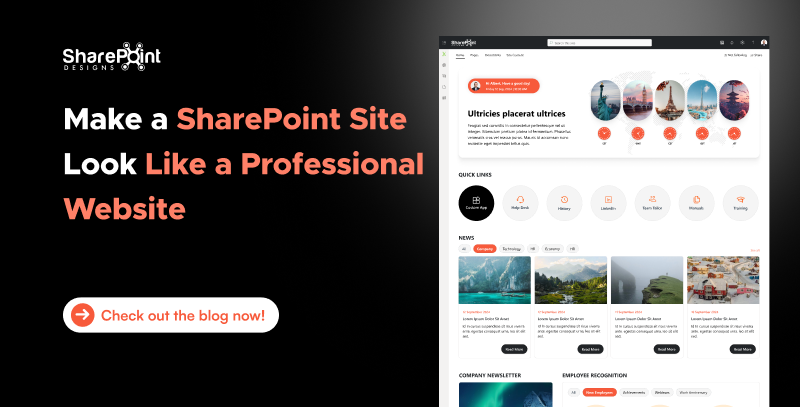
SharePoint is widely used as an intranet platform, but with a little creativity and configuration, it can be transformed into a visually appealing, modern website whether for internal use or external sharing. In this guide, we’ll walk you through how to make your SharePoint site look and feel like a real website.
Why Make SharePoint Look Like a Website?
Before diving into the how-to, let’s understand the benefits:
Step-by-Step: Make SharePoint Look Like a Website
1. Choose the Right Site Template
Tip: Avoid classic SharePoint sites unless you're doing heavy customization.
2. Design a Clear and Engaging Home Page
3. Customize the Branding
Pro Tip: Stick to 2-3 main colors to keep the design clean and consistent.
4. Use Modern Web Parts Effectively
Add engaging components like:
To know more about modern webparts, please check out this blog
Web Parts That Make Your SharePoint Intranet Feel Like a Website
5. Improve Navigation
6. Flexible Sections & Layouts
One of SharePoint’s biggest strengths is the ability to create flexible page layouts:
Flexible sections allow you to design pages your way by mixing different layouts such as one-column, two-column, or three-column designs within the same page. You can also add vertical sections for side navigation, quick links, or persistent content.
This flexibility means you can:
In short, flexible sections give you full control to build a page that looks modern, professional, and tailored to your audience’s needs.
7. Make It Responsive and Clean
8. Set a Custom Page as the Home Page
After building your homepage:
9. Use Custom Fonts and CSS (Optional, Advanced)
If you’re using SPFx (SharePoint Framework), you can build custom web parts with:
⚠️ Requires developer knowledge or help from your dev team.
Example Use Cases
Conclusion
With SharePoint’s modern features, you can go beyond plain document storage and create a vibrant, professional-looking website experience. Whether you're building an internal blog, announcement site, or service portal, SharePoint gives you the tools, you just need to know how to use them effectively.
Start designing today and bring your SharePoint site to life!


Comments
Post a Comment