Quick Links aren’t just about getting from point A to point B, they are about making navigation effortless, engaging, and even a little exciting.
Imagine your intranet where every click feels smooth, every layout looks polished, and every user finds what they need without the clutter. From sleek boxed designs to dynamic interactive panels, these Quick Links layouts aren’t just functional, they’re stylish upgrades that bring personality and flow to your digital workspace.
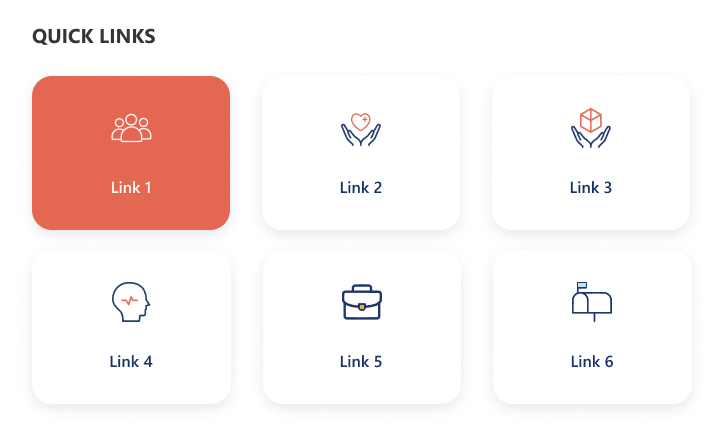
1. Horizontal Boxed Layout
Sleek and streamlined, this layout lines up your quick links like a well-dressed team of icons and titles.
Clean, consistent, and perfect for top-of-page navigation, it delivers fast clicks with a fresh, flowing look.
2. Quick Links with Dropdown Menu
Turn things up a notch with icons, titles, and a smart dropdown.
Compact yet clever, this layout lets you pack in more links without clutter.
Just click, expand, and boom; navigation made simple and stylish.
Balanced and tidy, this design stacks your links in two neat horizontal rows.
With crisp icons and clear titles, it’s perfect for organizing more content in a way that’s stylish, accessible, and easy on the eyes.
4. Department-Based Quick Links
Built for clarity and speed, this layout stacks departments vertically on the left for quick switching, while the right side features a handy search bar for precision.
Below, a clean boxed display shows the selected department’s links.
Add a custom web part title on top for your own flair.
Transform your intranet into an intuitive, stylish workspace.
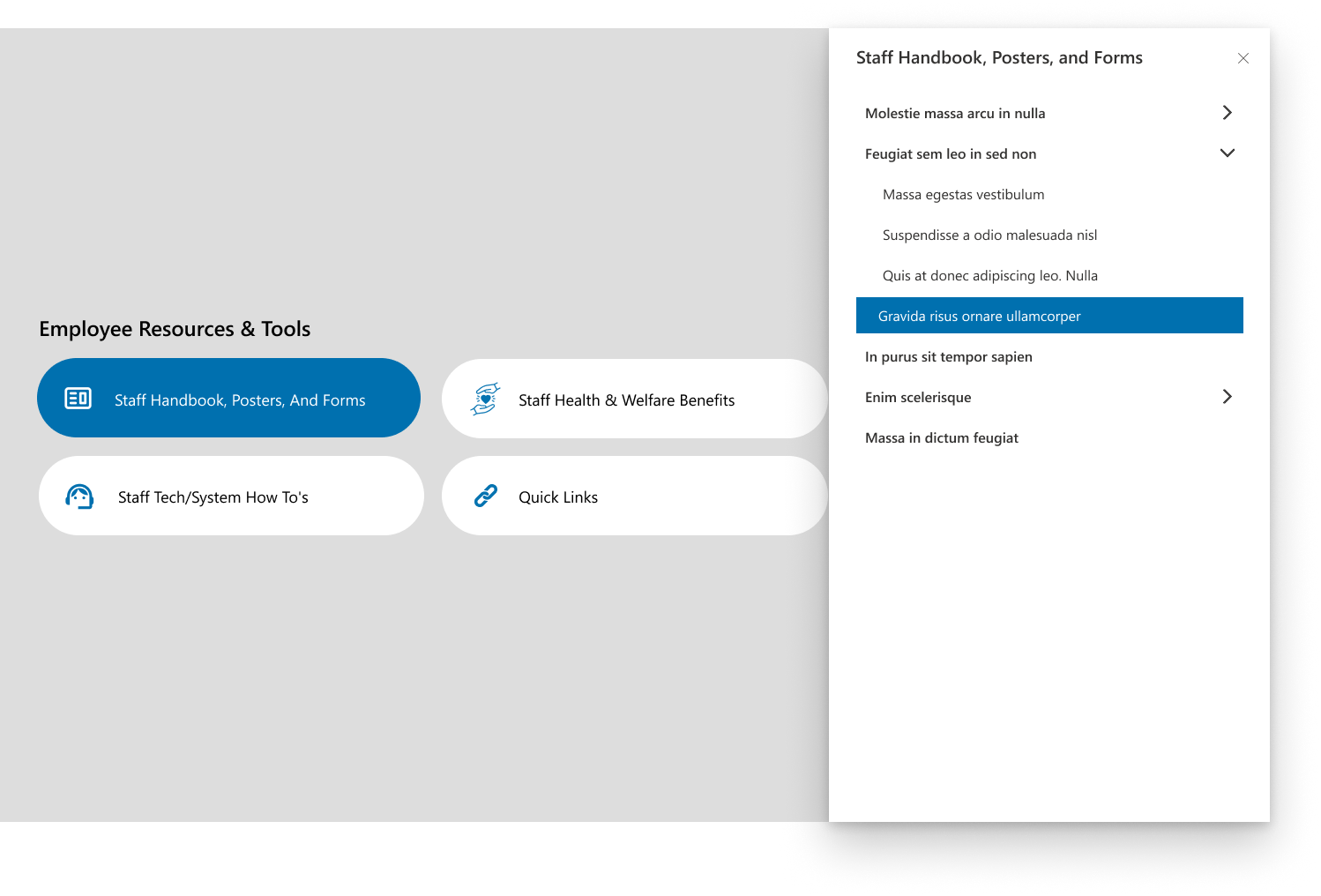
More than just links, this layout brings interactivity to life.
Click a quick link and a sleek side panel slides in with extra options, dropdowns, and details.
Personalize it with a custom title for a modern, dynamic, and feature-packed experience.
Conclusion
Whether you go for sleek rows, smart dropdowns, department-based clarity, or an interactive side panel that surprises with every click, each layout adds its own personality to your intranet.
The best part? You can mix, match, and customize to fit your style. So why settle for boring links when you can turn navigation into an experience that’s fast, fun, and unforgettable.
Ready to elevate your intranet experience? Build Your Intranet with our expert solutions today.
Power Automate SharePoint Services In today’s fast-paced work environment, keeping everyone updated with the latest news and announcements is crucial. With Power Automate, you can streamline the process of creating news posts in SharePoint directly from Outlook emails. This automation saves time and ensures that important information is shared quickly and efficiently. This blog walks you through the steps to set up this efficient integration. What You’ll Need Power Automate: Included with most Microsoft 365 plans for creating automated workflows. SharePoint Site: The destination site where your news articles will be published. Outlook Account : A Microsoft 365 Outlook account to receive emails. Step-by-Step Guide to Create Your Flow Step 1: Set Up the Trigger Begin by signing in to Power Automate and creating a new flow using the "When a new email arrives" trigger from Outlook. You can set specific conditions to filter the emails that will initiate the flo...
SharePoint Services Ever missed a task because you forgot to follow up? SharePoint reminders and alerts make sure that never happens again. Whether you’re tracking project deadlines or document approvals, you can automate it all no coding required! Need help setting up your SharePoint automation? Get a free consultation today If you use SharePoint to manage your projects, documents, or tasks, you’ve probably faced this problem. you forget to follow up on something important until someone reminds you after it’s already late. That’s where automated reminders and alerts come in handy. They do the remembering for you so you can focus on your real work. In this blog, I’ll show you two simple ways to set up alerts and reminders in SharePoint: 1. Using the built-in “Alert Me” option. 2. Creating smart reminders with Power Automate (Flow). And yes, everything here works with SharePoint Online (Microsoft 365). Let’s get sta...
SharePoint Services Introduction SharePoint introduced flexible layout section , within the flexible section we can move the webpart anywhere on the two-dimensional grid , resizing, over lapping and grouping the webparts, this guide covers how to use flexible sections in SharePoint, from adding web parts to customizing layouts for mobile views. How to add flexible section in SharePoint Page Just like adding other sections, click the Section button . This will open the Section toolbox. In the toolbox, you will see the Flexible Section listed first. Click on Flexible to add a Flexible Section to your page. How to add web parts inflexible sections After adding a Flexible Section to your page, web parts cannot be added directly. Instead, you need to drag them from one of the Column Layouts into the Flexible Section, duplicate an existing web part, or use the Toolbox pane . The Toolbox pane, located on the right side, allows you to easily add web pa...





Comments
Post a Comment