Ever spent more time hunting for a document than actually using it?
Let’s be honest in the modern workplace, no one has time to play hide and seek with files. Whether it’s that one policy doc, a video tutorial, or even a quick note from leadership, you need it fast, and you need it now.
Enter the Custom Search Web Part, your digital sidekick that makes searching feel less like a chore and more like a superpower. It’s not just a search box; it’s smart, stylish, and totally customizable. From cheerful greetings and real-time clocks to sleek filters and layouts that fit your vibe, this tool turns the daily hunt for information into a smooth, almost fun experience.
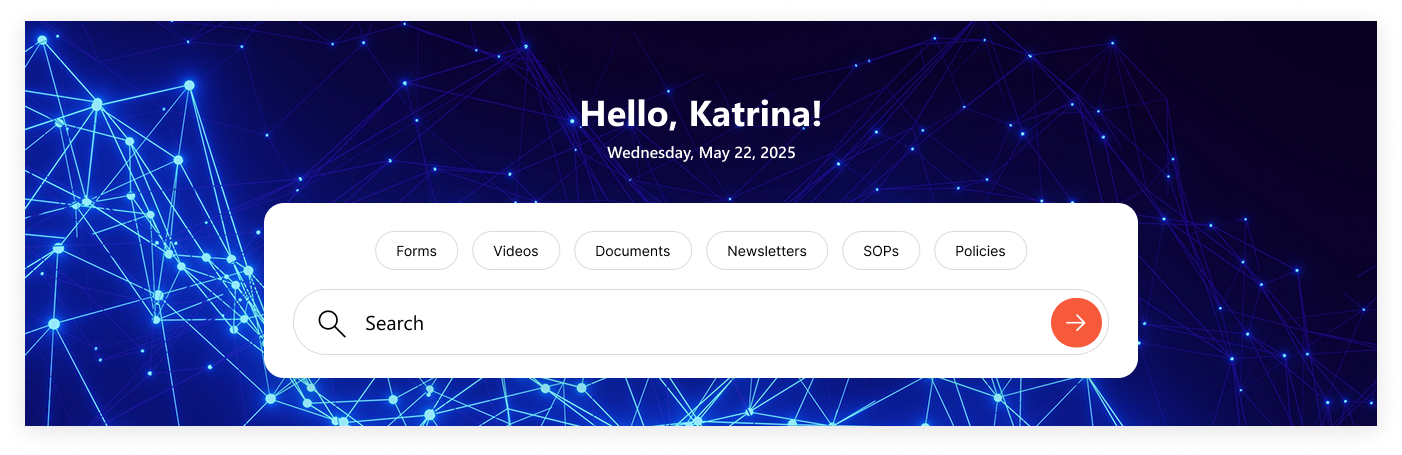
1. Classic Centered Layout
Customizable Welcome Message: Greet users with “Hello", "Welcome”, “Good Morning” or your own style.
Personalized Touch: Username of the logged-in user is automatically fetched.
Always On Time: Displays accurate date & time synced with the user’s time zone.
Smart Search Bar: Quickly search for file types across the organization.
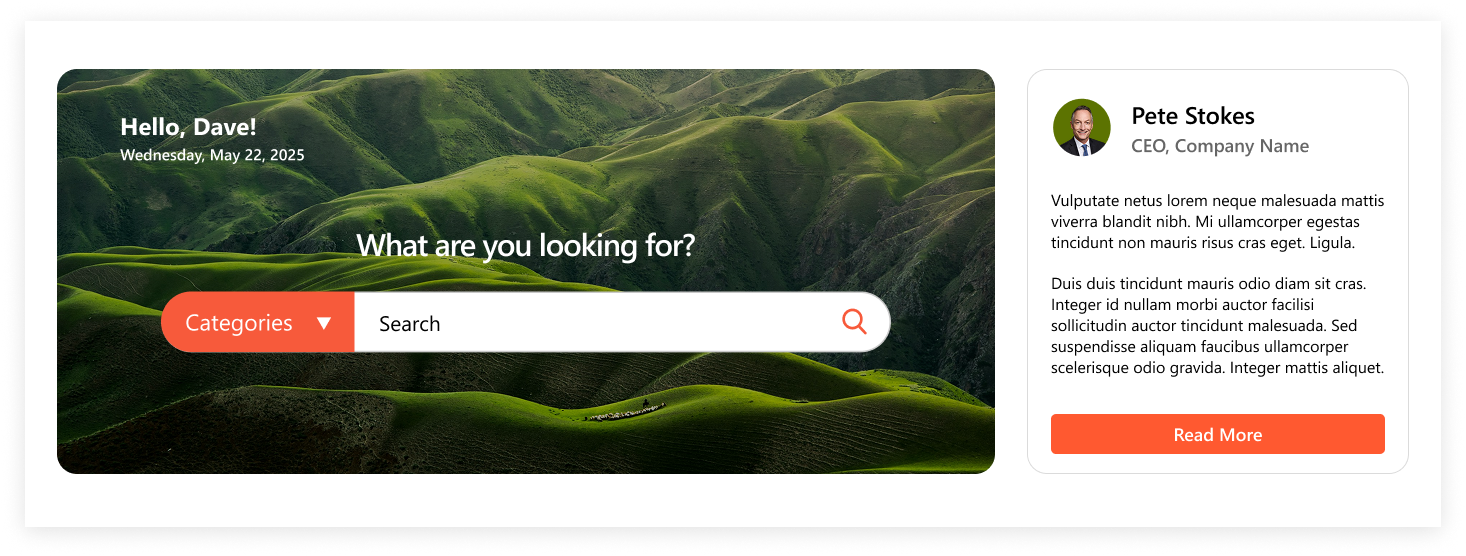
Personalized Left Side: Welcome message, username, profile picture, and live time.
Central Smart Search: Quick department-wide search with category dropdown.
CEO Spotlight: Right-side box featuring CEO’s profile picture, A short meaningful message, “Read More” link to full content
Connected Experience: Combines search functionality with leadership communication.
Conclusion
TheCustom Search Web Partisn’t just about searching, it’s about creating a personalized digital experience that saves time, boosts productivity, and strengthens workplace connections. Withmultiple layouts from classic to modern, left-aligned to leadership-powered, there’s a design for every team and every purpose. Whether you want minimal and sleek or feature-rich with CEO messages, the choice is yours. One thing’s for sure with this web part, finding exactly what you need has never been simpler, smarter, or more seamless.
Power Automate SharePoint Services In today’s fast-paced work environment, keeping everyone updated with the latest news and announcements is crucial. With Power Automate, you can streamline the process of creating news posts in SharePoint directly from Outlook emails. This automation saves time and ensures that important information is shared quickly and efficiently. This blog walks you through the steps to set up this efficient integration. What You’ll Need Power Automate: Included with most Microsoft 365 plans for creating automated workflows. SharePoint Site: The destination site where your news articles will be published. Outlook Account : A Microsoft 365 Outlook account to receive emails. Step-by-Step Guide to Create Your Flow Step 1: Set Up the Trigger Begin by signing in to Power Automate and creating a new flow using the "When a new email arrives" trigger from Outlook. You can set specific conditions to filter the emails that will initiate the flo...
SharePoint Services Ever missed a task because you forgot to follow up? SharePoint reminders and alerts make sure that never happens again. Whether you’re tracking project deadlines or document approvals, you can automate it all no coding required! Need help setting up your SharePoint automation? Get a free consultation today If you use SharePoint to manage your projects, documents, or tasks, you’ve probably faced this problem. you forget to follow up on something important until someone reminds you after it’s already late. That’s where automated reminders and alerts come in handy. They do the remembering for you so you can focus on your real work. In this blog, I’ll show you two simple ways to set up alerts and reminders in SharePoint: 1. Using the built-in “Alert Me” option. 2. Creating smart reminders with Power Automate (Flow). And yes, everything here works with SharePoint Online (Microsoft 365). Let’s get sta...
SharePoint Services Introduction SharePoint introduced flexible layout section , within the flexible section we can move the webpart anywhere on the two-dimensional grid , resizing, over lapping and grouping the webparts, this guide covers how to use flexible sections in SharePoint, from adding web parts to customizing layouts for mobile views. How to add flexible section in SharePoint Page Just like adding other sections, click the Section button . This will open the Section toolbox. In the toolbox, you will see the Flexible Section listed first. Click on Flexible to add a Flexible Section to your page. How to add web parts inflexible sections After adding a Flexible Section to your page, web parts cannot be added directly. Instead, you need to drag them from one of the Column Layouts into the Flexible Section, duplicate an existing web part, or use the Toolbox pane . The Toolbox pane, located on the right side, allows you to easily add web pa...





Comments
Post a Comment