Modern Org Chart Web Parts in SharePoint: Smarter Employee Directory for Today’s Workplace
 sharepoint-organization-chart-web-parts

In a big organization, remembering who’s who can feel like trying to recall names at a never-ending party.

The Organization Chart Web Part makes it easy to put faces, names, and roles together in seconds.

Whether you’re welcoming a new joiner, looking for the right colleague to collaborate with, or simply trying to understand the reporting flow, these web parts make navigating your org chart a breeze. They also integrate seamlessly into your SharePoint intranet design, helping employees connect faster and work smarter.

Smart Search & Quick Actions
Organization-chart
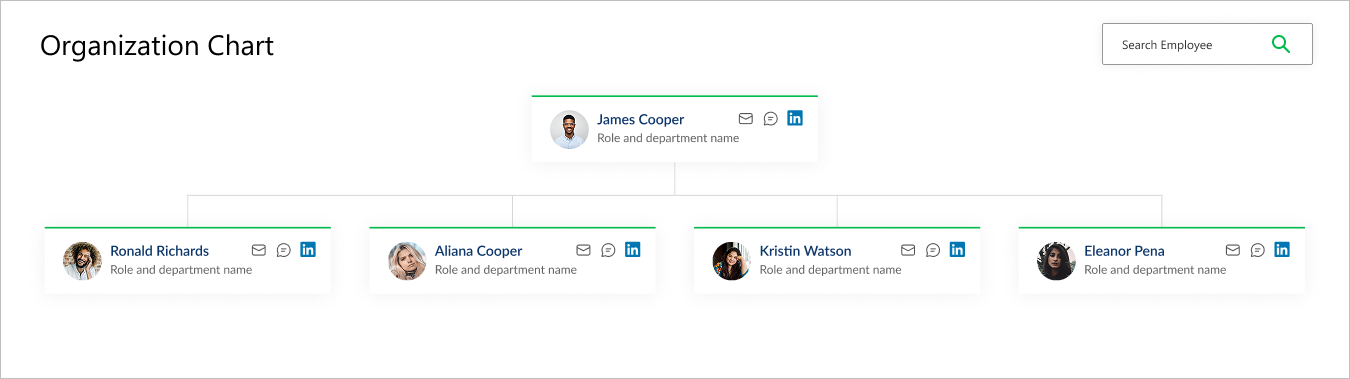
  • Title & Search Bar: Title sits at the top left, while a smart search bar on the top right makes it effortless to find employees.
  • Profile Cards: Each card brings the chart to life with a photo, name, and role.
  • Quick Connect Icons: Handy action buttons on the right let you email, message, or even connect via LinkedIn in a single click.
  • Why It’s Great: A simple yet powerful way to explore your company structure and stay connected.
Looking for ready-made designs? Explore our SharePoint intranet templates

Clean Two-Compartment Design

Organization-chart
  • Top Section: Title neatly placed on the left and a search bar on the right for fast employee lookups.
  • Profile Layout: Each card is split into two compartments:
  • Upper Half: Employee photo and name.
  • Lower Half: Job description for clarity.
  • Why It’s Great: Delivers a structured, professional view that makes navigating your company hierarchy effortless.

This structured view also supports digital workplace solutions, ensuring clarity for global organizations.

Team Tabs for Dynamic Navigation
Organization-chart
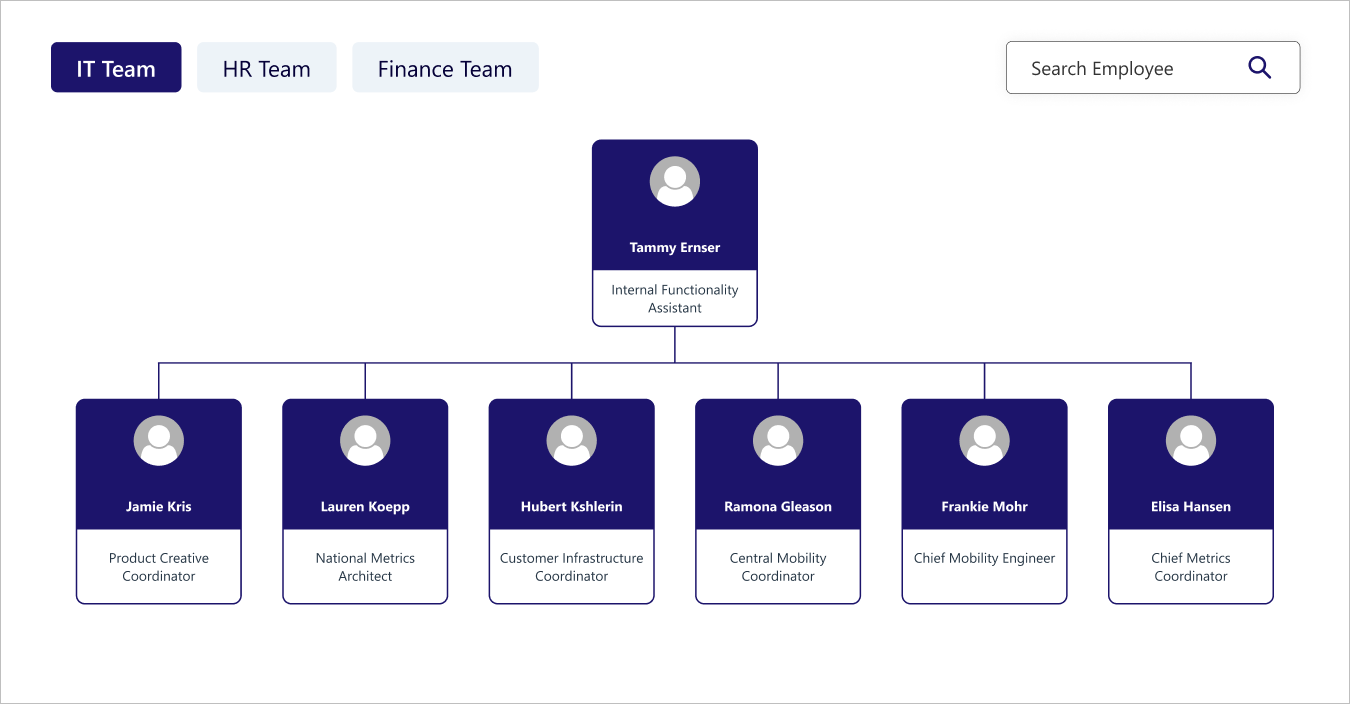
  • Team Switching: Tabs on the top left let you switch between different teams instantly.
  • Smart Search: A search bar on the top right helps you find any employee quickly.
  • Profile Layout: Each card follows a two-compartment style:
  • Upper Half: Profile photo and name.
  • Lower Half: Job description.
  • Why It’s Great: A dynamic, interactive way to explore teams, roles, and hierarchy across the organization.

Dynamic navigation works like team engagement software, helping departments stay aligned.

Conclusion

An org chart isn’t just boxes and line, it’s the heartbeat of your workplace. With these modern Organization Chart Web Parts, you don’t just see the hierarchy, you experience it. From quick searches to clean layouts and dynamic team views, they transform corporate structure into real connection. After all, behind every title and profile photo is the person who keeps your organization moving forward.

Ready to modernize your intranet with smart org charts?

Comments

Popular posts from this blog

From Inbox to Intranet: Automate SharePoint News Posts in Real-Time

How to use flexible sections in SharePoint pages: A Simple Guide

How to Set Up Automated Reminders and Alerts in SharePoint (Step-by-Step Guide 2026)